




Change subscription duration – how it works
✅ You can now change the duration of your access in two ways:
- Option 1: via the Change Duration page
- Option 2: directly in the product details of your specific IPTV access
⚠️ Important: A duration change is only possible before the due date. On the expiry date itself, the duration can no longer be changed. It is therefore best to make the change before the access reaches its expiry date.
✨ Option 1: Change the duration via the overview page
- Open the Change Duration page
- Select the new desired duration from the dropdown menu.
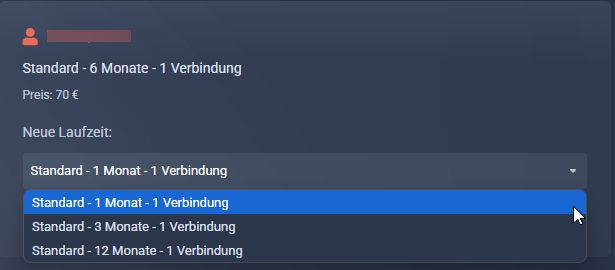
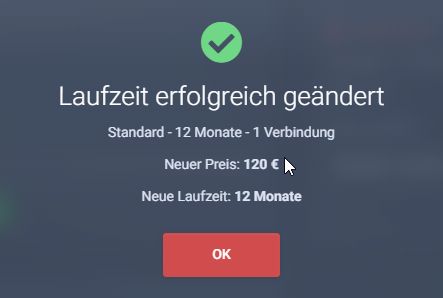
- Confirm the change with Change. After the change, the new duration is displayed immediately and the new price is applied automatically.
✨ Option 2: Change the duration directly in the product details
- Open the IPTV access in your client area for which you want to change the duration
- In the product details, you will find the duration change section directly for that access
- Select the new desired duration there
- Confirm the change directly from the detail view
- The new duration and the new price will then be applied immediately for that access
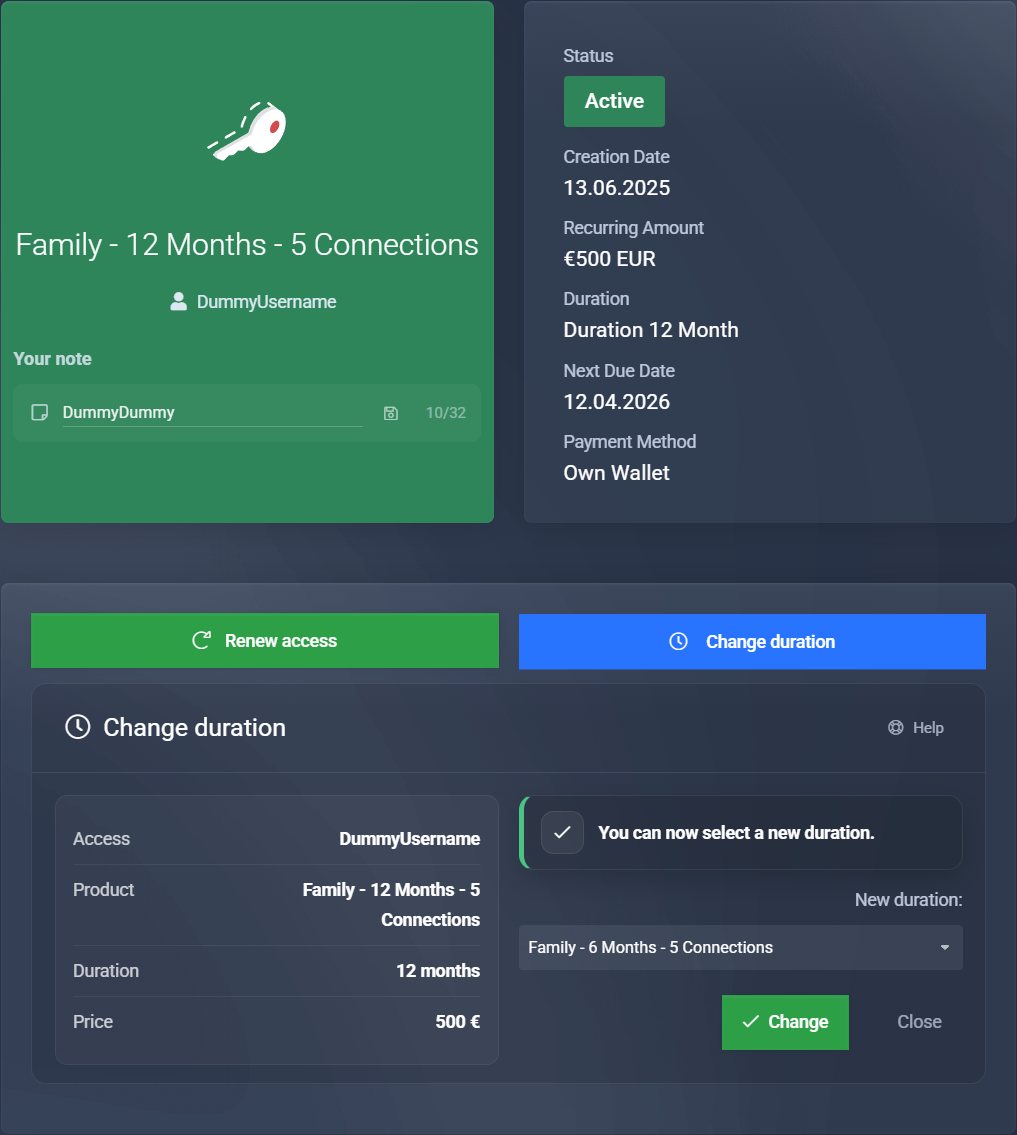
✅ This option is especially convenient if you want to change the duration directly for the desired access without first switching to the overview page.
- All unpaid invoices for the old duration are automatically cancelled.
- Click Renew Access
- Follow the order process – the new duration will already be selected automatically.
- Pay as usual. Done!
✅ Alternatively, for supported accesses, you can now also start the renewal directly in the product details of the respective IPTV access.
❓ Can I change the duration as often as I want?
Yes, you can adjust the duration flexibly at any time – but only before the due date. On the expiry date itself, changing the duration is no longer possible.
✨ What are the benefits?
- You stay fully flexible – everything without a support ticket.
- The new duration and the new price apply immediately.
- Old invoices are automatically adjusted or removed.
- You can now also make the change directly in the product details of the respective access.
⚙️ How do I renew afterwards?
Go to Renew Access. There, the new renewal invoice will be created and you only need to pay it.
For supported accesses, you can also start the renewal directly from the product details of the respective IPTV access.
❗ Why can’t I change the duration for some accesses?
- Some special tariffs (for example package accesses) are excluded from duration changes.
- Only active running accesses can be changed.
- On the expiry date itself, changing the duration is no longer possible – only before that date.