




Personal Access Notes – How to Use This Feature
You can now add a short personal note to each of your active services. This feature helps you keep a better overview – especially if you use multiple services at the same time.
Typical use cases:
- Which service is used in which room (e.g. living room, bedroom)
- Assignment to people (e.g. “Grandma”, “John”, “Neighbor”)
- Your own internal labels or reminders
Where Can I Find Access Notes?
The note feature is available directly in the service details within the client area.
- Log in to your client area
- Open My Services
- Click on the service you want to manage
The new field “Personal Note” is displayed directly below your username.
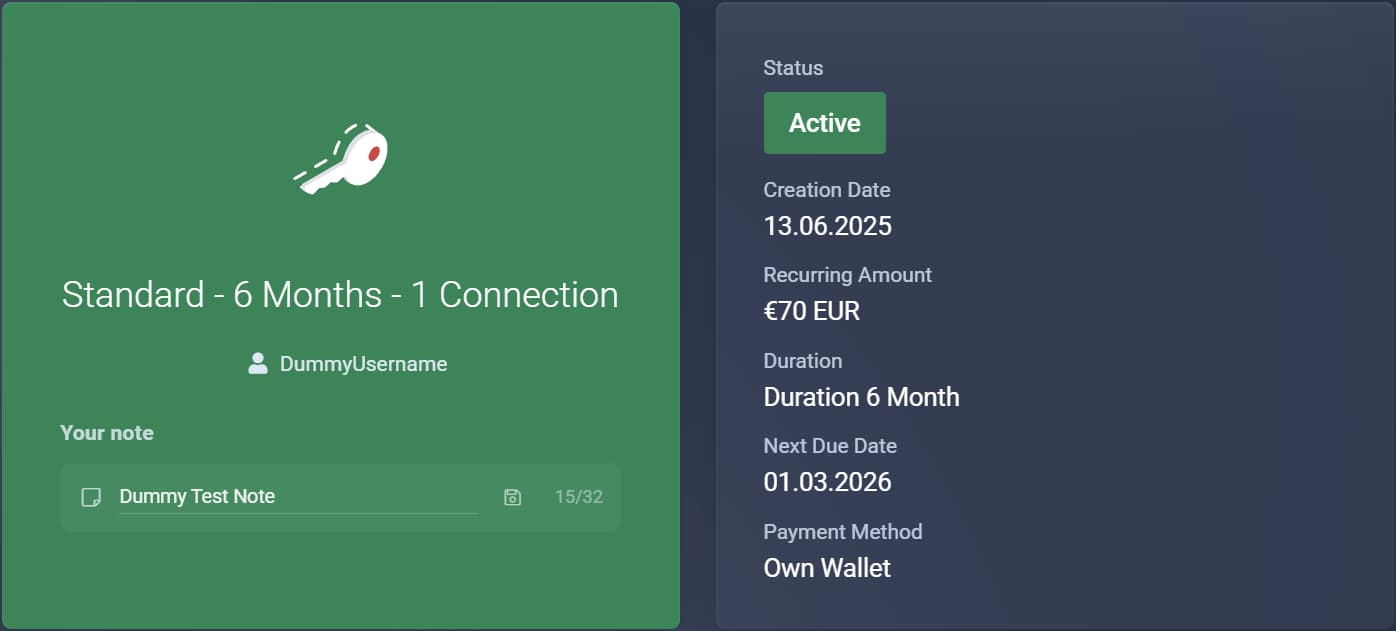
How to Save a Note
- Click into the Personal Note input field
- Enter your desired label (maximum 32 characters)
- Click the save icon
The note is saved instantly – no page reload is required.
Note:
The note is intentionally limited to 32 characters to ensure it stays clear and is displayed correctly everywhere.
The note is intentionally limited to 32 characters to ensure it stays clear and is displayed correctly everywhere.
Where Are the Notes Displayed?
Your saved note is automatically used in several places:
- In the service detail view in the client area
- On invoices (PDF and invoice view)
- In invoice-related emails
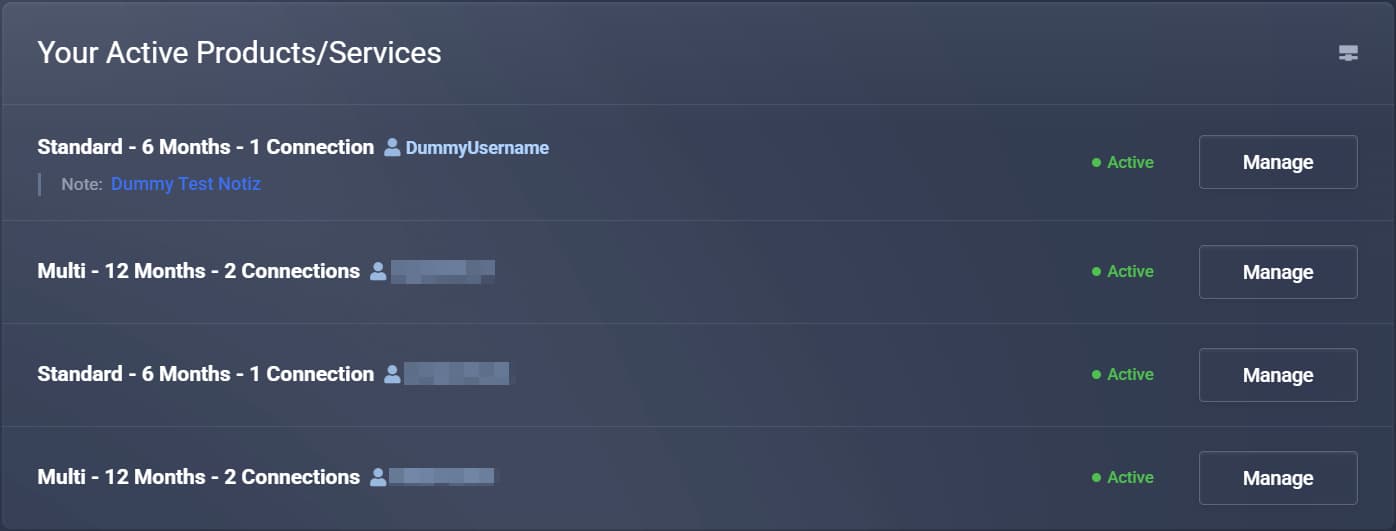
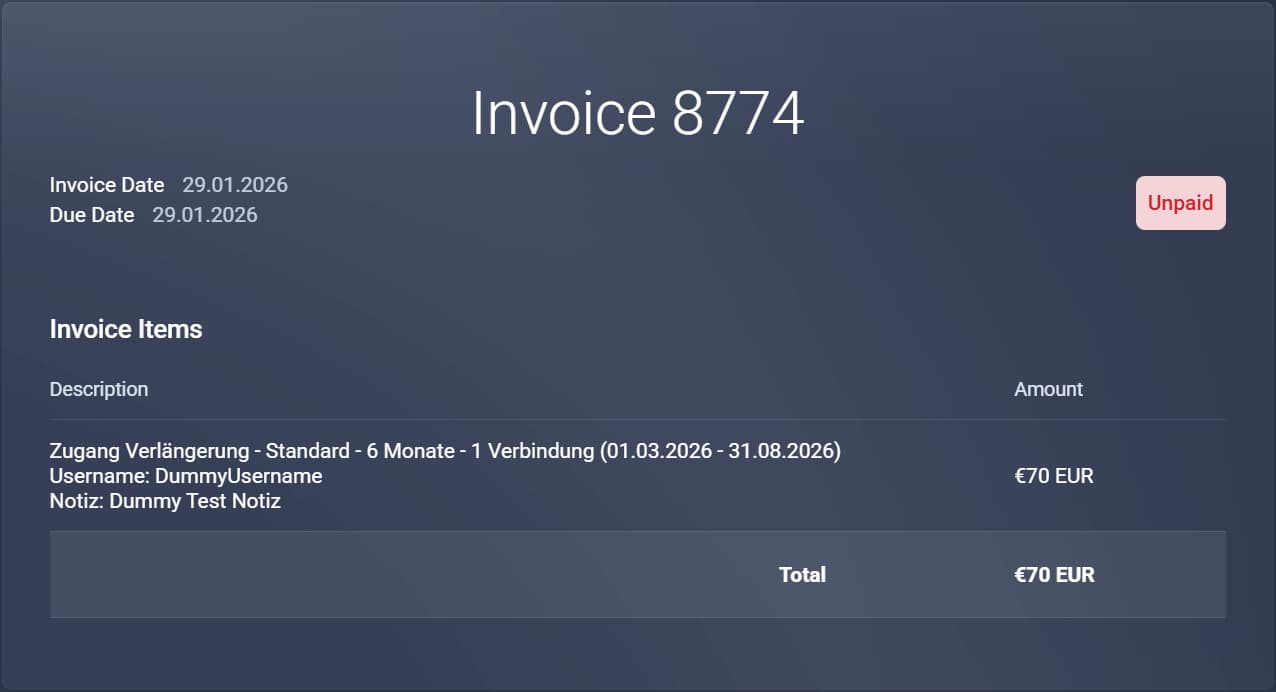
This way, you can always quickly identify which service an invoice or email refers to – even if you have several active services.
Summary
- Each service can have its own personal note
- Ideal for better organization when using multiple services
- The note can be changed at any time
- Displayed in the client area, on invoices, and in emails
If you use multiple services, we highly recommend using this feature – it saves time and helps avoid confusion.